Defining a tag dynamically
To dynamically control a tag element, the callback handler must respond with an object which defines tag properties.
These object properties are mapped to the following tag element properties:
{
  "content": "string",
  "type": "string",
  "inverse": "boolean",
  "small": "boolean"
}
where:
contentcorresponds to the Text property.typecorresponds to the Type property.smallcorresponds to the Small tag property.inversecorresponds to a hidden property which inverts the color of the border and background.
Note
The response payload property which is mapped to
type must have a value which appears in the tag element Type property dropdown.Example
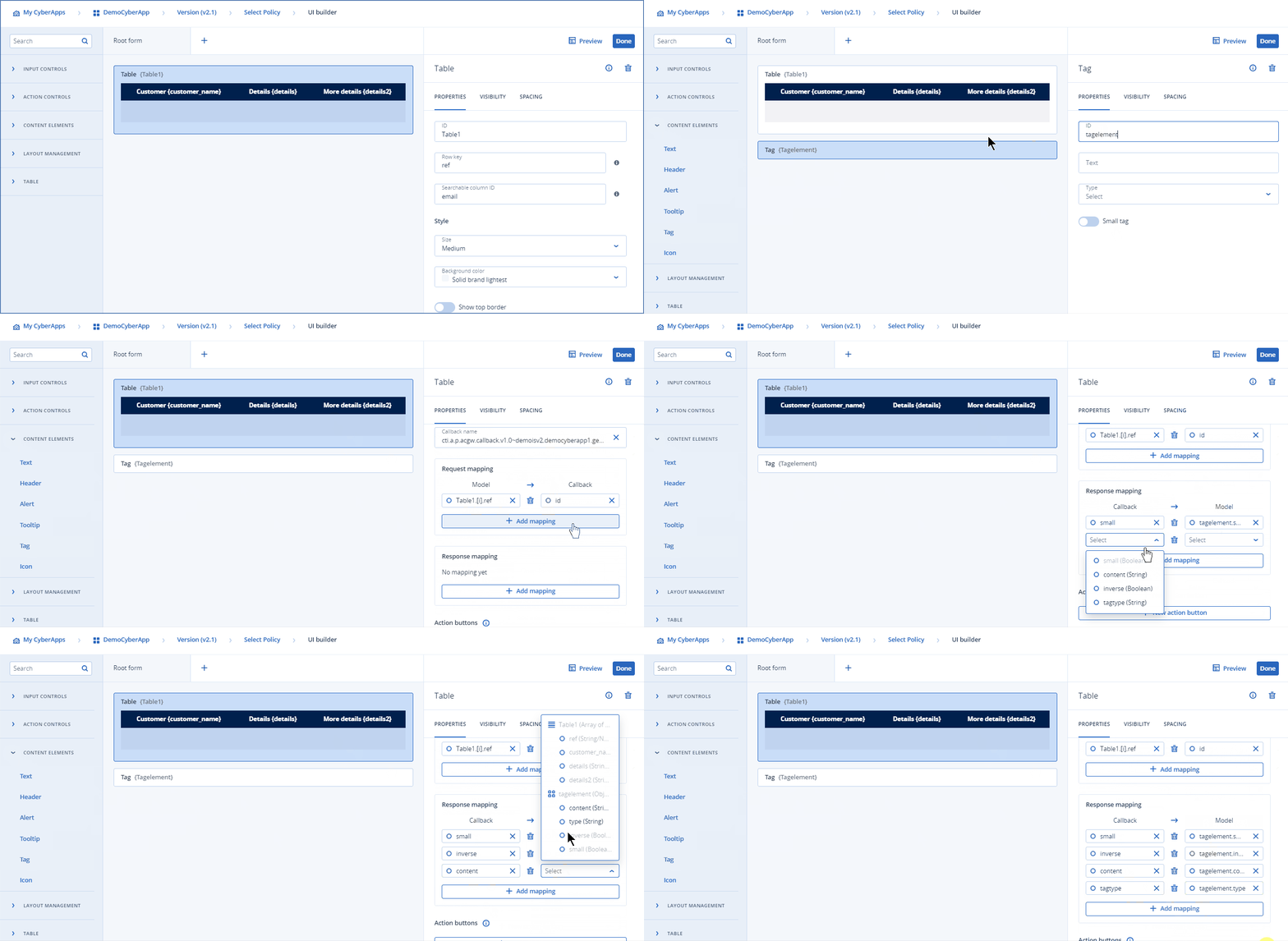
In this example, the root form contains a table element which displays an array of customer data.
An On row click action is created to trigger a callback called GetTag, which has the request schema mapped to ref field in the user table.
The callback responds with data for the selected customer’s tag, which are mapped to the tag element properties.
In this way, each time the user selects a different table row, the tag element will be updated.
GetTag request schema
{
   "type": "object",
   "$schema": "http://json-schema.org/draft-04/schema",
   "properties":
   {
     "items":
     {
       "type": "object",
       "properties":
       {
         "userid":
         {
           "type": "string"
         }
       }
     }
   }
 }
GetTag response schema
{
  "type": "object",
  "$schema": "http://json-schema.org/draft-07/schema",
  "properties": {
    "small": {
      "type": "boolean"
    },
    "content": {
      "type": "string"
    },
    "inverse": {
      "type": "boolean"
    },
    "tagtype": {
      "type": "string"
    }
  }
}