Localization example
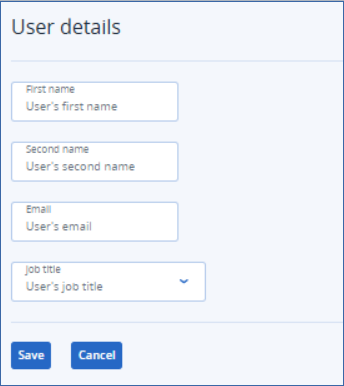
We will demonstrate localization of the following form:
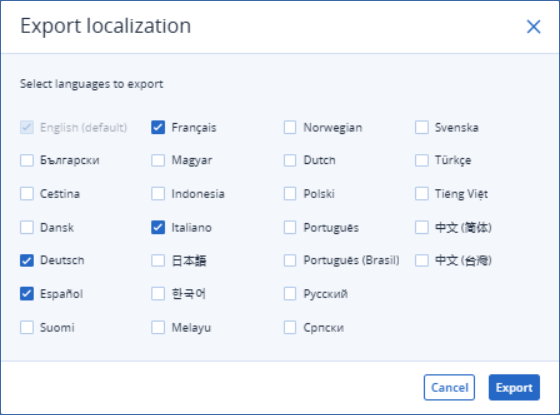
We select four localization languages:
The following .zip file is created:
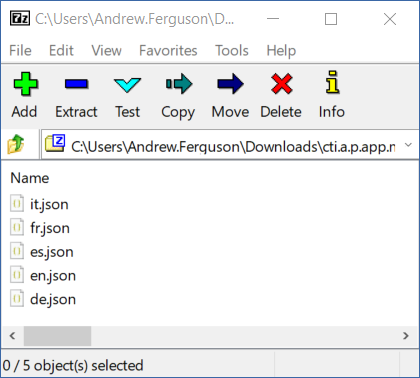
As this is the first time localizing this CyberApp, all exported localization files are identical. They contain language pairings with both sides of the pair in English:
{
  "Cancel": "Cancel",
  "Developer": "Developer",
  "Developer comment": "Developer comment",
  "Development manager": "Development manager",
  "Development manager comment": "Development manager comment",
  "Email": "Email",
  "First name": "First name",
  "Job title": "Job title",
  "Junior developer": "Junior developer",
  "Junior developer comment": "Junior developer comment",
  "Save": "Save",
  "Second name": "Second name",
  "Senior developer": "Senior developer",
  "Senior developer comment": "Senior developer comment",
  "User details": "User details",
  "User's email": "User's email",
  "User's first name": "User's first name",
  "User's job title": "User's job title",
  "User's second name": "User's second name"
}
We translate the localization files, but only partially translate the es Spanish language file (omitting the placeholder strings which begin User’s):
{
  "Cancel": "Cancelar",
  "Developer": "Programador",
  "Development manager": "Gerente de desarrollo",
  "Email": "Correo electronico",
  "First name": "Nombre",
  "Job title": "Puesto",
  "Junior developer": "Programador junior",
  "Save": "Guardar",
  "Second name": "Apellido",
  "Senior developer": "Programador sénior",
  "User details": "Detalles del usuario",
  "User's email": "User's email",
  "User's first name": "User's first name",
  "User's job title": "User's job title",
  "User's second name": "User's second name"
}
Then, we create a .zip file with our four translated localization files and import the .zip file.
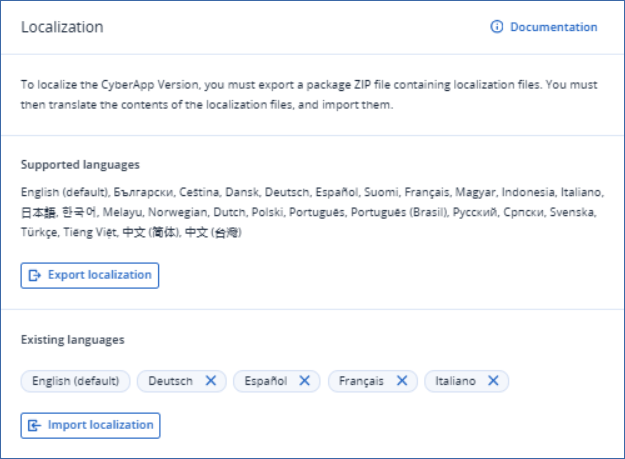
The translations are registered in the Existing languages section Vendor Portal:
Note
If we localize the same languages again, the imported language string pairings are exported. The Spanish localization file will include the untranslated language pairs. To localize for a different language, we don’t have to export and import the existing languages again: we can simply export the new language, translate, and import. Existing languages are not removed if they are not included in the import file, they are ignored.