Child forms
Button elements, footer buttons, and table action buttons can open child forms from a parent form. They do this when their On click action is Open form.
Table on row click actions also open a child form when set to the Open form option.
When a form opens a child form, the child form automatically includes default OK and Cancel buttons.
Note
These default child form buttons do not appear when you preview the form.
Passing parameters to a child form
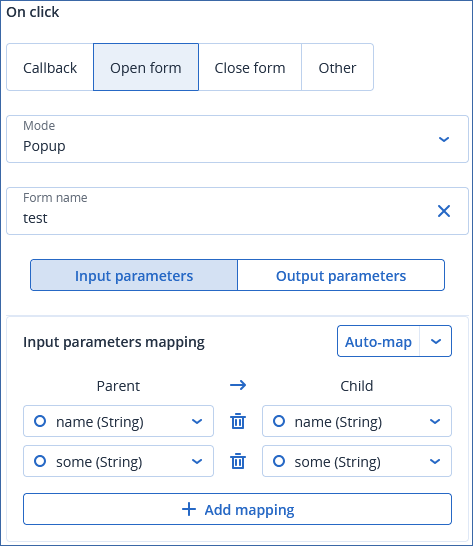
You can map parent form data to elements on the child form and to the child form input parameters.
Passing parameters from a child form to its parent form
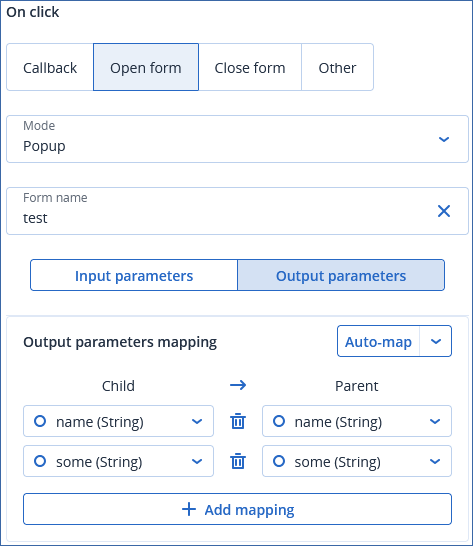
Child forms can pass parameters back to their parent form. These parameters are called output parameters. Output parameters can map to elements on the parent form and to the parent form input parameters.
Child forms pass output parameters back to their parent form when the ‘form accepted’ event is triggered by either a button on click action or a table row click action on the child form. For more information, see button element on click actions, footer button on click actions, table action buttons on click actions, and table row on click actions.
You map child form output parameters in a similar way to mapping callbacks.